
Appearance
Data tab
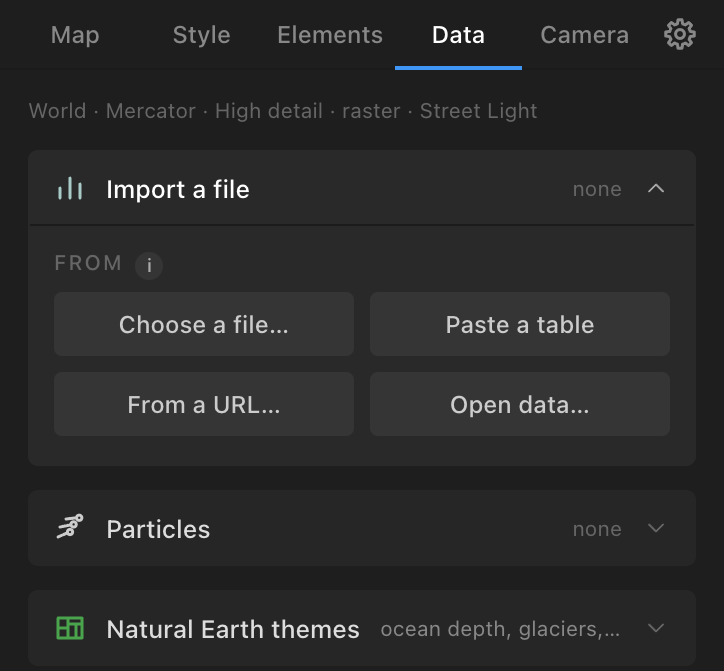
What comes from outside the map. Three sections: Import a file, Particles, Natural Earth themes. Build a map first: data lands on the active comp's map.
Import a file: the four ways in
From: four buttons.
- Choose a file…: GeoJSON, TopoJSON, shapefile (loose or zipped), GeoPackage (.gpkg), KML, KMZ, GPX, TCX, FIT, Excel (.xlsx), CSV / TSV / TXT, a plain JSON array of rows, a GTFS transit feed (zip), a GeoTIFF grid (.tif, for point clouds). A file is read by what it holds, not its name. Coordinates in a national grid (British National Grid, Lambert-93, RD New, UTM…) are converted to longitude and latitude.
- Paste a table: CSV text ("country,value / France,12 / DE,7") and Use the pasted table.
- From a URL…: any https address that returns GeoJSON, CSV, KML or GPX (Fetch; recent addresses are offered again). An address with your own key stays yours.
- Open data…: free, keyless sources, each with a form: USGS earthquakes (Period: past hour, day, 7 days, 30 days; Magnitude: all, 1.0+, 2.5+, 4.5+, significant), NASA natural events (wildfires, severe storms, volcanoes, floods… over the last N days, each with a date), World Bank indicator (population, GDP, GDP per person, life expectancy, urban population, unemployment, internet users, CO₂ per person… or any indicator code, From and To years; credited "Data: The World Bank (CC BY 4.0)"), geoBoundaries (a country's ADM1 states, ADM2 districts or counties, ADM3, or ADM0 outline; credited), OpenFlights airports (7,700 airports; once fetched, airport codes in any table resolve through it). OpenStreetMap places through Overpass is paused in 1.0.1.
Every file read or fetched is kept as a copy beside a saved project, in Atlas Data, so the layer can be made again and the project travels.
After reading, a line says what the file holds ("73 areas, British National Grid (converted), 2,288,644 vertices"; "1 track with times and heights, 2 waypoints"; "a table: 187 rows, a country column (183 matched), 9 year columns") and Add it as offers only what it can become, the best first. A workbook, TopoJSON, GeoPackage or GTFS feed has a Sheet, Layer or Table picker. One of several dated files in a folder (cases-2020.csv, cases-2021.csv) offers Read all N as a time series.
What a file can become
| The file holds | Offered (first one is the default) |
|---|---|
| Areas or lines (GeoJSON, shapefile, TopoJSON, GeoPackage, KML) | An image (over 100,000 vertices) or Editable paths; with points also Pins, Heat map |
| Points (GeoJSON points, a KML of placemarks) | Pins, Heat map |
| A recorded journey (GPX, TCX, FIT, a timed KML track) | A track that draws on, Static shapes, Pins (waypoints), Heat map, Animate as particles (when it has times) |
| A table with latitude and longitude | Bubbles, Pins, Heat map, Point cloud (with a value), Animate as particles (moving data) |
| A table with a country column | Choropleth, Bubbles |
| A table with origins and destinations | Arcs, Animate as particles |
| A table of journeys or events with times | Animate as particles |
| A GeoTIFF grid (a population grid) | Point cloud |
The outcomes and their controls:
- An image / Editable paths (
ATLAS Dataset: {title}/ATLAS Boundaries: {title}): Name property, Layer title, Line colours (the style's boundary colour; the file's own colours; or By a property with 2 to 20 values, with a legend), Fill the areas lightly in the outline's colour, and for paths Appear by a property (each feature appears at its time, over Start and Over). An image is light to play and follows the Root on Mercator and equirectangular; paths are editable, one named group per feature. A heavy set of thousands of features is best as an image. - A track that draws on (
Track: {name}): Track, Start (s), Draw over (s) (4), Length label units, Draw at the recorded pace (pauses included) (it halts where the recorder stopped), Traveller at the head of the line, Elevation profile from the file's own heights, Line options. GPS jitter is smoothed. Follows the Root on Mercator and equirectangular. - Pins: Design, At most (200), Name from, Appear by a column (each pin scales and fades in at its time, over Start and Over), Name each pin. A table's own columns win: name, place, country, lat, lon, design, colour (hex), size, label, badge.
- Heat map: Build it as: An image (default; rendered by the panel, any machine renders it) or Live (particles) (drawn by the Atlas Particles effect, builds up as points arrive). Radius (km) (a ground distance from the map's scale; it stays right as the map zooms), Intensity, Colours (Blues, Reds, Viridis, Heat (default), Diverging), for the image Weight by a numeric column and Opacity; Grow by a time column (the image becomes a PNG sequence that fills up over Over seconds; keep the Root still). Layer
ATLAS Heat map: {title}orATLAS Particles: {title} heat. - Choropleth and Bubbles (
Data: {column}withData Legend: …): Join to (Countries, or an imported layer by feature name), Value / Size by (a text column colours by category, with party colours for known parties), Colour by (bubbles), Colours (Blues, Reds, Viridis, Heat, Diverging, Custom (two colours) with Low and High), Scale (Linear, Square root, Log), Year columns are a time series (N steps) with Seconds per step (1) and Step (hold) rather than blend, a Data Time label stepping through the years, Appear by (bubbles), Max radius (40), Legend and Legend corner. Country names match by ISO code or name against the full 10m list; a match too small for the map's detail is reported. - Arcs: As: Pins and arcs (a layer per row) (pins for every place and an arc layer per row, with travellers and distance labels; up to 200 rows) or One layer (the heaviest pairs) (default past 300 rows: one data layer of the heaviest origin–destination pairs, Keep 500, Weight by rows per pair or a column, drawn in width bands with a legend, Draw as Line, Particles or Both). Shape, Draw-on (s), Stagger (s), Draw on by a date column. Airport codes (IATA, ICAO) resolve through OpenFlights once fetched, else through 893 bundled airports.
- Animate as particles: see Particles: moving data.
- Point cloud: see Point clouds.
Under the outcomes, Imported layers gives each imported layer its tools: Remove, Locate the file… (when it moved), pick Features by name and Highlight them (with Reveal and Stagger), Draw as paths (picked features of an image as editable paths), Fly to (one feature), Several at once, and Label every feature with Label text (the name, a property, or a template such as {NAME}\n{POP}), Size, and Leader lines for names with no room at their area.
Particles: moving data
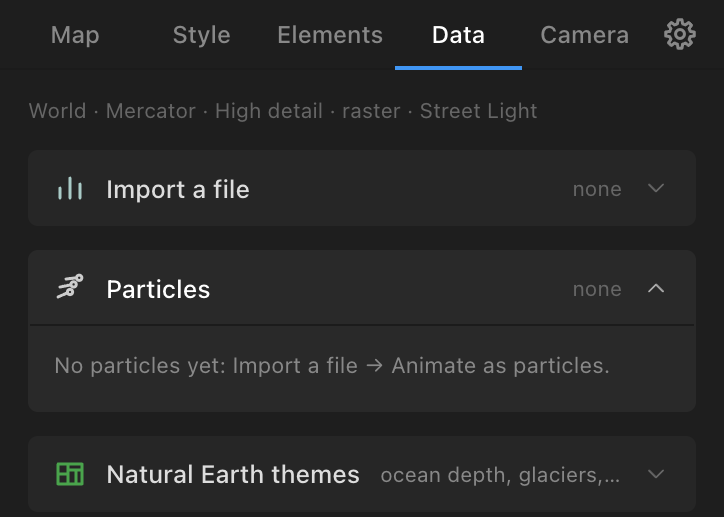
Atlas Particles is a native After Effects effect, installed beside the panel by the aescripts manager. It draws moving data live in After Effects' renderer, from a data file the panel writes (Atlas Data / Atlas's particles folder), on a 2D layer the comp's size that draws through Atlas's camera. Particles, point clouds, live heat and particles along arcs and routes all need it: without it those outcomes are greyed out with a line saying so, and Settings → About shows the plug-in's version.
Import → Animate as particles (from a table):
- What moves: Events (a place and a time per row: a flash or a glow where each happens), Trips (a start and an end, between two places: bike hires, flights, migrations), Tracks (rows sharing an id, moving in time order: storms, vehicles). Atlas guesses the kind and the columns.
- Columns: Time; Latitude and Longitude (events, tracks); Id (tracks); Start time and End time, or Duration with seconds, minutes or ms (trips); Places are: Coordinates | Codes (codes join to a second table of positions: Positions of the codes → Choose…); Category; Value.
- Colours: By category (a swatch each), By value (a ramp, Viridis by default), One colour.
- Look: Flow (short glowing trails; trips), Pulse (each one pops on and fades; events), Fireflies (they stay where they land, dimmer), Comet (long tails along great circles; tracks). Events take Pulse or Fireflies only. Trails and fades are measured from how long each particle is on screen.
- Start (s) (0) and Duration (s) (10: the whole span of the data plays over this many seconds).
- Add particles:
ATLAS Particles: {title}.
A recorded track file with times also offers Animate as particles (a comet that follows the recorded pace).
The Particles section (Data tab) tunes a particles layer after it is made: a summary ("30,776 trips over 24 hours · 2 categories"), Look with Apply look, Draw as: Particles | Heat (heat builds up as the particles arrive; Heat colours, Radius (px), Update heat), Colours per category with Update colours, a Readout (Clock, Counters, Category bars, Histogram, a Corner; Add readout: live 2D layers that follow the particles' Start and Duration), and Handover: Bake to PNG sequence (renders the particles alone with alpha into Atlas Sequences and puts the frames over the map in place of the effect, so the project plays on a machine without the plug-in; the project must be saved; a few tenths of a second a frame at 1080p) and Restore live particles. Flows and point clouds are tuned on the effect itself (its Flows or Point cloud groups).
Particles also come from: Arcs, Hubs, Street routes and a table's Arcs drawn as Particles or Both (streams along the paths, rising with the Map Root's Height under a tilted camera); Heat map → Live (particles); Point cloud.
On the effect itself (Effect Controls, groups in order): Data (Data ID, Start (s), Duration (s): retime the particles here), Map view (linked to the Map Root by expressions), Look (Size, Glow, Intensity, Blend, Colours, Colour), Trails (Trail Length (s), Trail Width, Trail Opacity), Motion (Path, Curve, Ease), Life (Fade In (s), After Ending, Fade Out (s), Settled Brightness, Pop), Value colours (Low Colour, High Colour, Auto Range, Value Min, Value Max), Flows (Pace, Travel Time (s), Rate, Spread), Heat (Draw As, Heat Radius, Heat Level, Heat Colours), Height (linked to the Root's Height (%)), Detail (Smooth Paths, Trail Samples), Camera (linked to Atlas's camera), Point cloud (Style, Height (px), Height Curve, Size (%), Rise, Each Rises (%), Rise From Lon, Rise From Lat, Sweep Angle), Value ramp (Ramp, Ramp Curve). Controls that do not apply to the layer's kind are hidden. The effect's Register button opens its licence dialog. Turning on motion blur with Atlas's switch (Camera options) gives particles an "Atlas Motion Blur" (CC Force Motion Blur) so they streak with the camera.
Point clouds
A point cloud raises a grid of values (a population grid such as WorldPop's GeoTIFF) or a table of places with a value as spikes or dots standing on the map, drawn by Atlas Particles, best under a tilted camera.
- Style: Spikes (default), Dots at height, Columns of dots.
- Cell size (grids): Auto (the smallest size whose spikes stand apart: about 5 km on a country map, 1 km on a city) or a multiple of the grid's cells. Tables: Latitude, Longitude, Height by, Colour by.
- Height (%): the tallest spike as a share of the comp's height (25).
- Colours: Fire (dark red to white, default), Ice, Viridis, Magma, Two colours of your own, One colour, By category.
- Rise: Together (default: every spike from the first frame, all arriving at once), Densest first, Rising tide, From a point (a pin or the map's centre), Sweep (a direction), Random, By the data (a time column), None; Start (s), Over (s) (4), Each (%).
- Add point cloud:
ATLAS Point cloud: {title}. Build a map first.
Natural Earth themes
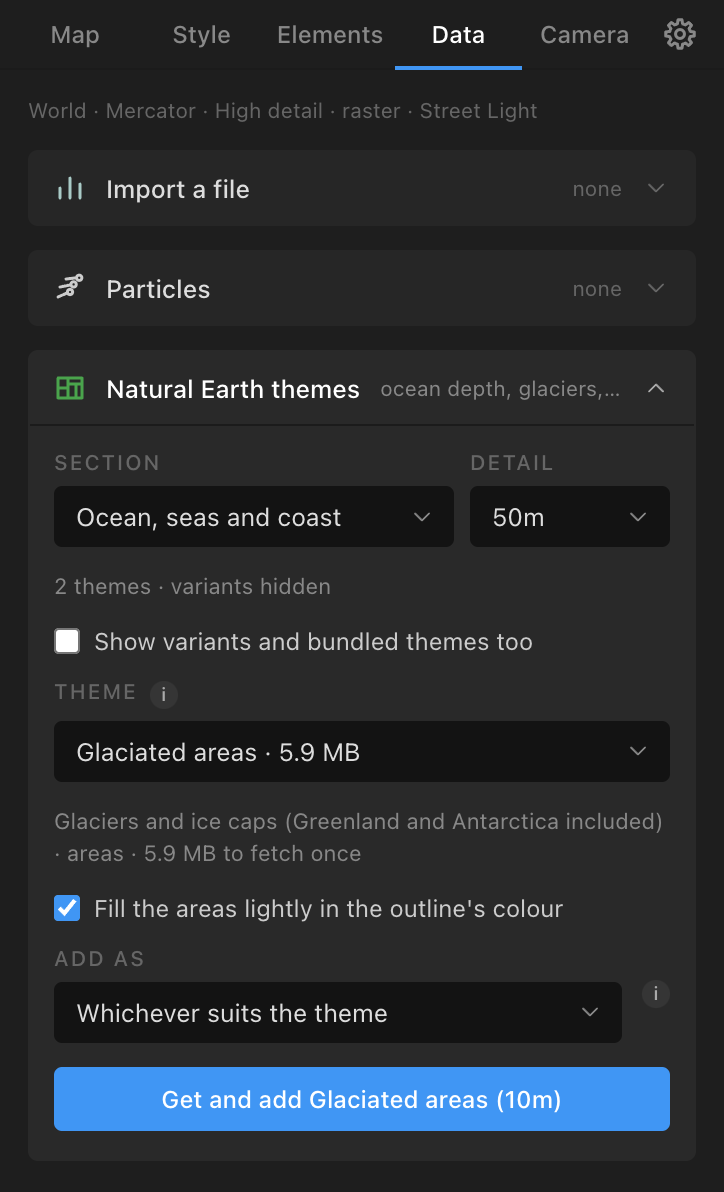
Every theme of the Natural Earth release Atlas is built on, fetched once from GitHub on demand and kept in the cache (public domain, no credit): Section (Ocean, seas and coast; Land, water and ice; Countries and their borders; States, provinces and counties; Places, transport and parks; Graticules; Other; Everything), Detail (10m, 50m, 110m, Any), Theme (searchable: bathymetry by depth, glaciers, named regions and seas, reefs, US counties, parks…), Fill the areas lightly, Add as (whichever suits, an image, editable paths). Point themes become pins (at most 200). The layer is ATLAS Boundaries: {theme} ({scale}) or ATLAS Dataset: …, with every imported-layer tool. Offline, download the file and use Import a file.