
Appearance
Finding data
Atlas reads GeoJSON, TopoJSON, shapefiles (loose or zipped), GeoPackage (.gpkg, one feature table at a time), KML, KMZ, GPX, TCX and FIT (Garmin's formats; every sports watch writes one of the three), Excel workbooks (.xlsx), CSV / TSV (with WKT geometry in a column, as the ONS and data.gov export areas) and plain JSON tables through Data → Import a file (by what the file holds: a mis-named file such as Strava's .pgx is read as the GPX it is). Every source here is free to download without an account; each states its own licence, and the ones marked credit want a line in your credits. What a file becomes depends on what it holds:
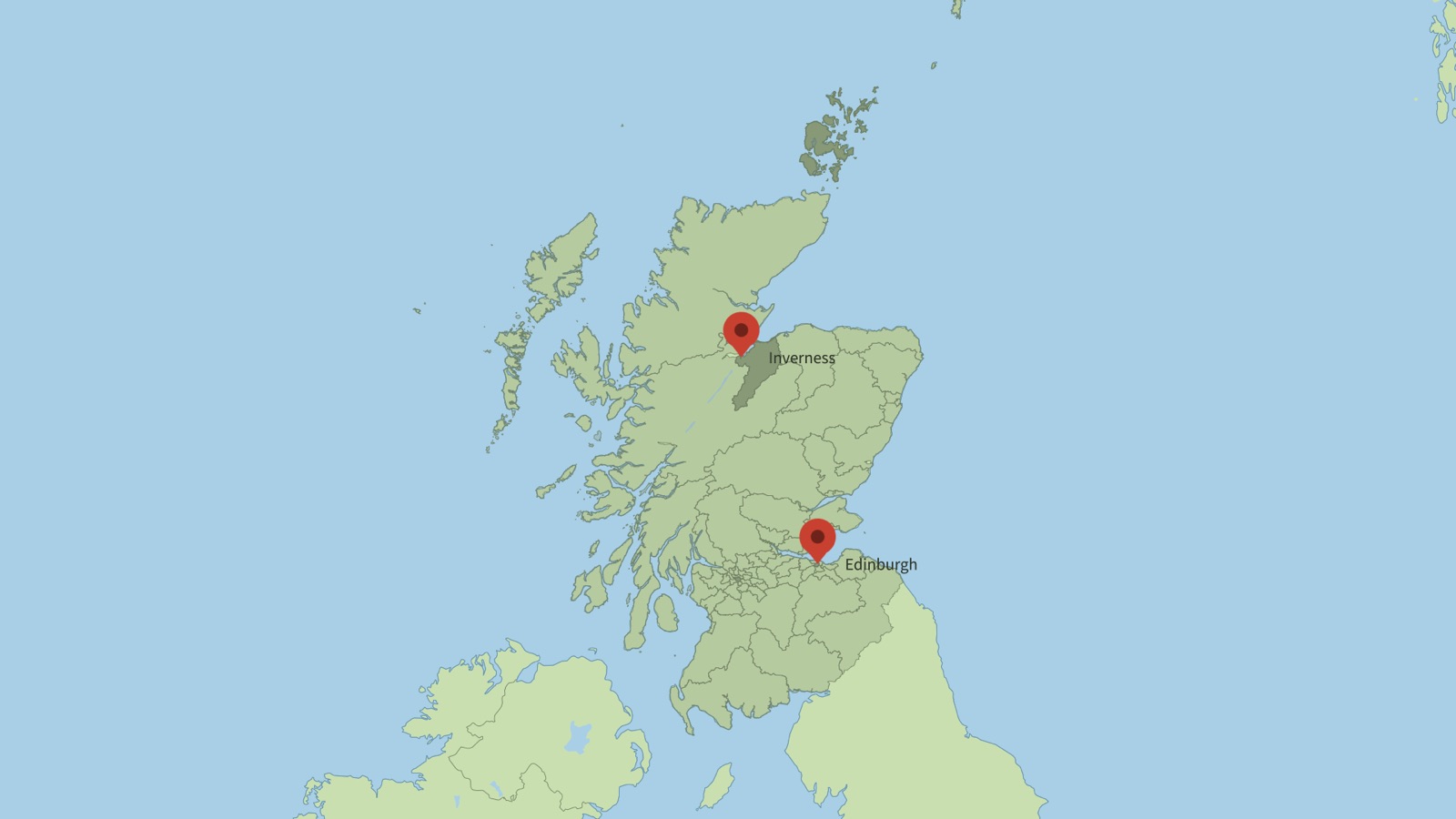
A national boundary file of millions of points, imported as one image that follows the map.
| The file holds | Atlas offers |
|---|---|
| Points with a time column (a year, a date, or a number such as a timestamp) | Pins that appear at their time · bubbles · a heat map that grows (Grow by) |
| Points with a number column | A heat map weighted by it (magnitude, deaths, capacity…) |
| Areas with a date property | Editable paths that appear by that date · an image · labels from any property |
| A table with origin, destination and a year | Arcs that draw on in year order |
| A list of country names with years ("Poland 1939") | Dated highlights (Areas and borders → Several at once) |
| A recorded journey (GPX, TCX, FIT, KML track) | A track that draws on at its recorded pace, with its own elevation profile; heart rate is read too (GPX extensions, TCX, FIT) |
A table with a geometry, wkt or the_geom column (WKT: POINT, LINESTRING, POLYGON, MULTI…) | Areas, lines or points with the other columns as their properties, like a GeoJSON: an image or editable paths, pins, a heat map; an SRID=27700; prefix names the grid to convert from |
A folder of dated files (cases-2020.csv, cases-2021.csv…; world_1900.geojson, world_1920.geojson…) | Choose any one and press Read all N as a time series: tables merge into one with a date column (a choropleth or bubbles then step through the years); areas merge into one layer whose features carry their file's date (Appear by shows them in order), with a table of their numeric values beside it to join |
| A GeoPackage (.gpkg, what QGIS saves by default) | The first feature table (pick another from the Layer list), its columns as properties, its CRS converted; tile tables are listed but not drawn |
| A transit feed (GTFS, a zip of tables) | Its tables as a list: stops.txt as a table of stops with positions (pins, bubbles, a heat map), shapes.txt as the routes' lines, the rest as plain tables |
| An Excel workbook (.xlsx) | The first sheet as a table (pick another from the Sheet list); cells formatted as dates come out as ISO dates, so a year or date column works as in a CSV. An old .xls must be saved as .xlsx first |
A TopoJSON (world-atlas, us-atlas, a portal's .topojson) | Every object's areas or lines read together, each feature tagged with its object (pick one object from the Layer list), as any GeoJSON |
A plain JSON array of objects (what an API returns, [{"name": …, "lat": …}], or {"data": [...]}) | A table: nested objects become dotted columns (name.common), a latlng pair becomes latitude and longitude |
Fetched from inside Atlas (Data → Import a file)
- From a URL… takes any address that returns GeoJSON, a CSV / TSV table, KML or GPX (the USGS feeds below, a portal's download link, a file on your own server). The file is fetched once, kept beside a saved project like any import, and works offline after that. An address that carries your own key stays in your project; Atlas never adds one.
- Open data… is a short list of free, keyless services with a form each: USGS earthquakes (period and magnitude), NASA natural events (wildfires, storms, volcanoes… of the last N days, each with a date for Appear by), World Bank indicator (population, GDP, life expectancy and the rest, by country and year, straight into a choropleth that steps through the years; CC BY 4.0, credited), geoBoundaries (a country's states, districts or counties; CC BY 4.0, credited) and OpenFlights airports (7,700 airports with their IATA and ICAO codes and positions, ODbL, credited): fetch it once and any table of flows with airport codes (an airline routes file, LHR → JFK) resolves nearly every code through it, against the 893 major airports Atlas bundles for the offline fallback; it is also a table of points in its own right (pins, a heat map of airports).
Heat maps (points, optionally weighted, optionally over time)
- USGS earthquakes — every quake of the last 30 days as GeoJSON, updated every minute, public domain:
https://earthquake.usgs.gov/earthquakes/feed/v1.0/summary/2.5_month.geojson(alsoall_week,4.5_month,significant_year). Each point hasmag(use it as the weight) andtime(a timestamp: use it as Grow by). About 2,000 points a month at magnitude 2.5 and over. Longer spans come from the search at earthquake.usgs.gov/earthquakes/search (choose GeoJSON or CSV output). - NASA meteorite landings — 45,000 recorded falls and finds with
reclat,reclong,yearandmass, as CSV from data.nasa.gov (search "Meteorite Landings"). Public domain. - Global Power Plant Database (World Resources Institute) — 35,000 plants with latitude, longitude, fuel and capacity, CSV, CC BY 4.0 credit. Weight by
capacity_mw; filter the CSV to one fuel first for a story. - OpenFlights — airports (
airports.dat, lat/lon, no header row: add one) and routes (routes.dat: source and destination airport codes), ODbL credit. Routes become arcs once the codes are resolved to names; airports make a heat map of where the world flies from. - OpenStreetMap extracts — any category of point (pubs, schools, wind turbines) for an area through Overpass Turbo (overpass-turbo.eu: run a query, Export → GeoJSON), ODbL credit. Best for one town or region; the export cannot exceed a few hundred thousand points.
Time-line maps (wars, spread, growth)
- UCDP Georeferenced Event Dataset (Uppsala Conflict Data Program) — every recorded event of organised violence since 1989, with
latitude,longitude,date_start,best(the best estimate of deaths) and the conflict's name, as a 30 MB CSV from ucdp.uu.se/downloads (GED, "csv"). Free; cite the dataset. Filter to one conflict or one country in a spreadsheet, then import: a heat map that grows bydate_start, weighted bybest, or pins that appear by date. This is the dataset for "the spread of a war" over months or years. - ACLED covers recent conflicts in more detail but needs a (free) registration and its own terms, so Atlas does not fetch it; export a CSV from their site and import it the same way.
- Historical borders by year — the historical-basemaps project on GitHub (aourednik/historical-basemaps) has the world's borders as one GeoJSON per year (
world_1938.geojson,world_1945.geojson…, about 1.5 MB each; check the repository's licence before publishing). Import a year as an image or as paths; for a sequence of years, import each and keyframe the layers' opacities by hand, or highlight the countries that change between them. - A dated country list needs no file at all: in Areas and borders → Several at once, paste "Germany 1939, Poland 1939, France 1940, Italy 1943, Japan 1945" and set the seconds the dates run over; each country reveals in date order, an undated line keeps the stagger.
- A CSV of movements — origin, destination and year columns (migration flows, campaigns, a company's expansion) become arcs that draw on in year order; a country column with year-named columns becomes a choropleth that steps through the years.
Boundaries (areas to highlight, label, fill from a table)
- Natural Earth is built in: countries, states and provinces, and every other theme of the release through Data → Natural Earth themes (public domain).
- geoBoundaries — every country's administrative levels (states, districts, counties) as GeoJSON, CC BY 4.0 credit, from geoboundaries.org (the download page lists each country and level; the API form is
https://www.geoboundaries.org/api/current/gbOpen/{ISO3}/ADM1/). - ONS Open Geography (UK) — constituencies, local authorities, wards, health areas, output areas; choose a generalised edition (BGC or BUC) and WGS84 where offered, or let Atlas convert British National Grid. Open Government Licence credit.
- US Census TIGER — states, counties, places, tracts, congressional districts; shapefiles; public domain.
- GADM — every country's subdivisions to several levels, as GeoPackage or shapefiles; free for academic and other non-commercial use only, so check its licence page before a paid job; Atlas reads its .gpkg one level at a time.
- A transit agency's GTFS feed (a zip of tables; many agencies publish one) — stops and route shapes.
- National portals — data.gouv.fr (IGN admin express), PDOK (Netherlands), the Federal Statistical Office (Germany, GeoBasis-DE), and most countries' statistics offices publish their divisions; a file in a national grid (Lambert-93, RD New, UTM) is converted on import.
Old maps (historical map scans)
- The David Rumsey Map Collection (davidrumsey.com) has tens of thousands of scanned historical maps, downloadable at full resolution. Its licence is CC BY-NC-SA 3.0: non-commercial use only, with the collection credited, and some newer maps carry their publisher's copyright, so it is a source for personal and editorial work you have cleared, not something Atlas bundles. Many of its maps have been georeferenced (the "View in Georeferencer" link), and Georeferencer can serve a georeferenced map as XYZ tiles: that address goes into Style → Satellite imagery → Custom URL with the collection's credit line, and the old map lands under Atlas's live pins, arcs and labels, on Mercator. A scan that has not been georeferenced is an image to place by hand in After Effects (old maps are rarely accurate enough to line up with modern coordinates anyway). Retro looks that stay accurate come from Atlas's own presets (Retro Atlas, Newsprint, Classic Atlas).
Tracks and journeys
- Any GPS app or watch exports GPX; Garmin devices write FIT and Garmin Connect and Strava also export TCX; Google Earth exports KML / KMZ; Strava, Komoot and Garmin Connect export GPX from an activity's page. All of them read the same way: a track with timestamps draws on at its recorded pace and halts where you stopped; an indoor activity (a FIT with no positions) says so.
Formats Atlas recognises but does not read
- GML (Geography Markup Language, what some WFS services and INSPIRE portals offer): convert it to GeoJSON first (QGIS's Save As,
ogr2ogr -f GeoJSON out.geojson in.gml, or mapshaper.org); most portals offer GeoJSON or a shapefile beside it. - A KML of NetworkLinks (a Google Earth "Save as" of a live layer, an ArcGIS or WMS link) holds no places of its own: Atlas names the address it points at. A plain KML or KMZ there can be fetched through From a URL…; a service that answers by view has no file to fetch, so export the data from it.
- Excel 97–2003 (.xls): save it as .xlsx, or export the sheet as CSV.
What a messy file may hold, and still read
UTF-16 or Latin-1 encodings; a title row or a note above the header; two header rows; a coordinates column of "lat, lon" pairs; latitudes written as 51°30'26"N; headers in another language (Breitengrad, latitud, lat_dd, y_coord); quarters ("2021 Q3") and day-first dates; a GeoJSON with nested collections or GeometryCollections, longitudes past 180°, or properties: null; a KMZ with images inside; a shapefile with Z coordinates, null shapes, date and memo fields, a Latin-1 .dbf and no .cpg, or a zip with a folder in it; a GPX of routes without times, several segments, or waypoints alone. A file cut short, or empty, says so.
Two things to know
- Coordinates must be longitude and latitude, or a grid the file names. A file in British National Grid, Lambert-93, UTM and the other common grids is converted on import; a file with eastings and no named grid is refused with the way out (export in WGS84 from the portal, or run it through mapshaper.org with
-proj wgs84). - Heavy files are fine as images. A national boundary set of millions of vertices is offered as one image that follows the map, with "Draw as paths" for the features you pick; a heat map of hundreds of thousands of points renders in a few seconds.